PLAT.01
[ 01 ] Overview
One system for the whole move, from first quote to final invoice.
We built one platform, made to replace the suite. The public site brings in leads and gives an estimate on the spot. The staff portal runs scheduling, dispatch, crews, billing, fleet and payroll from the same records. Quotes are priced by our own pricing engine.
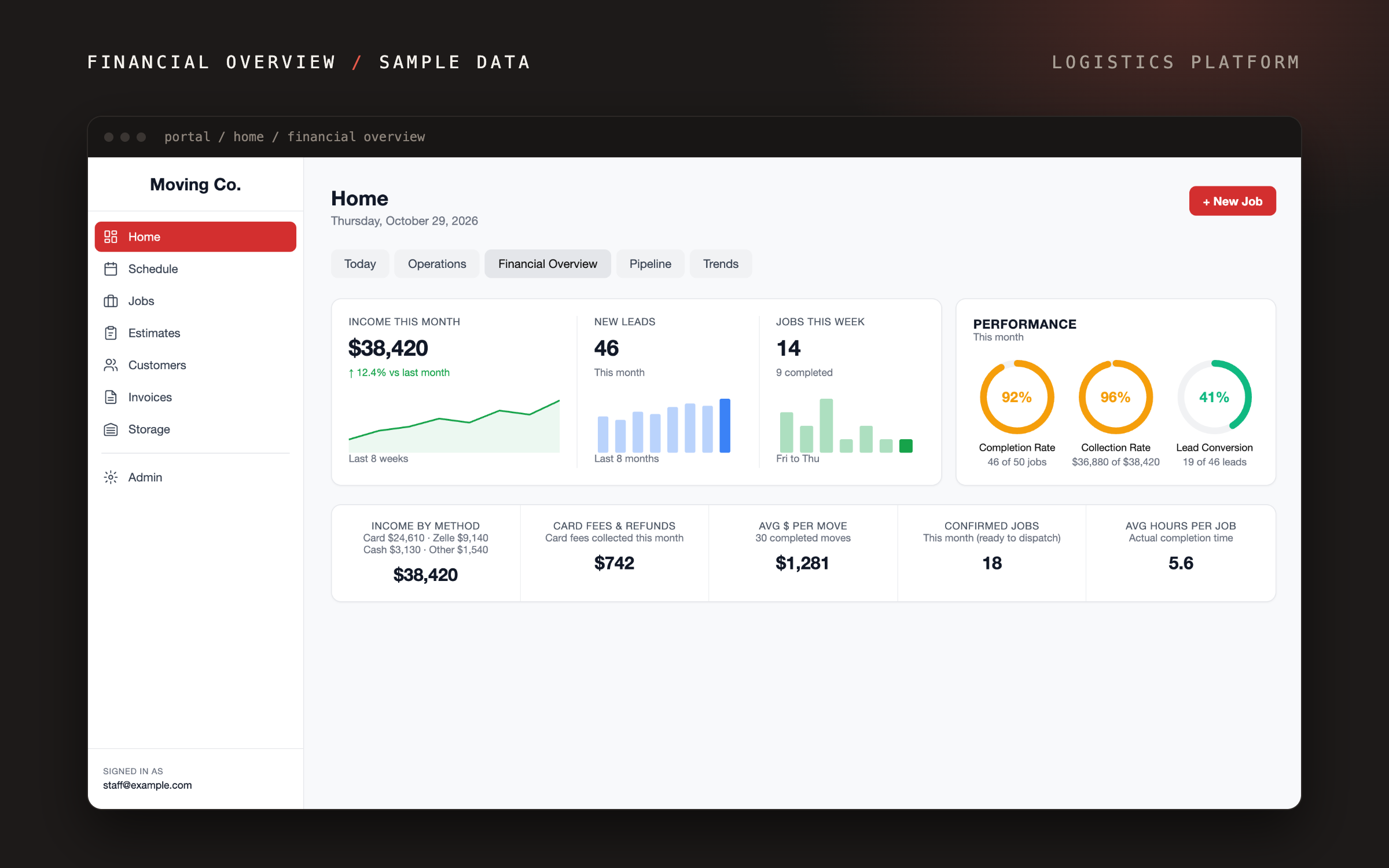
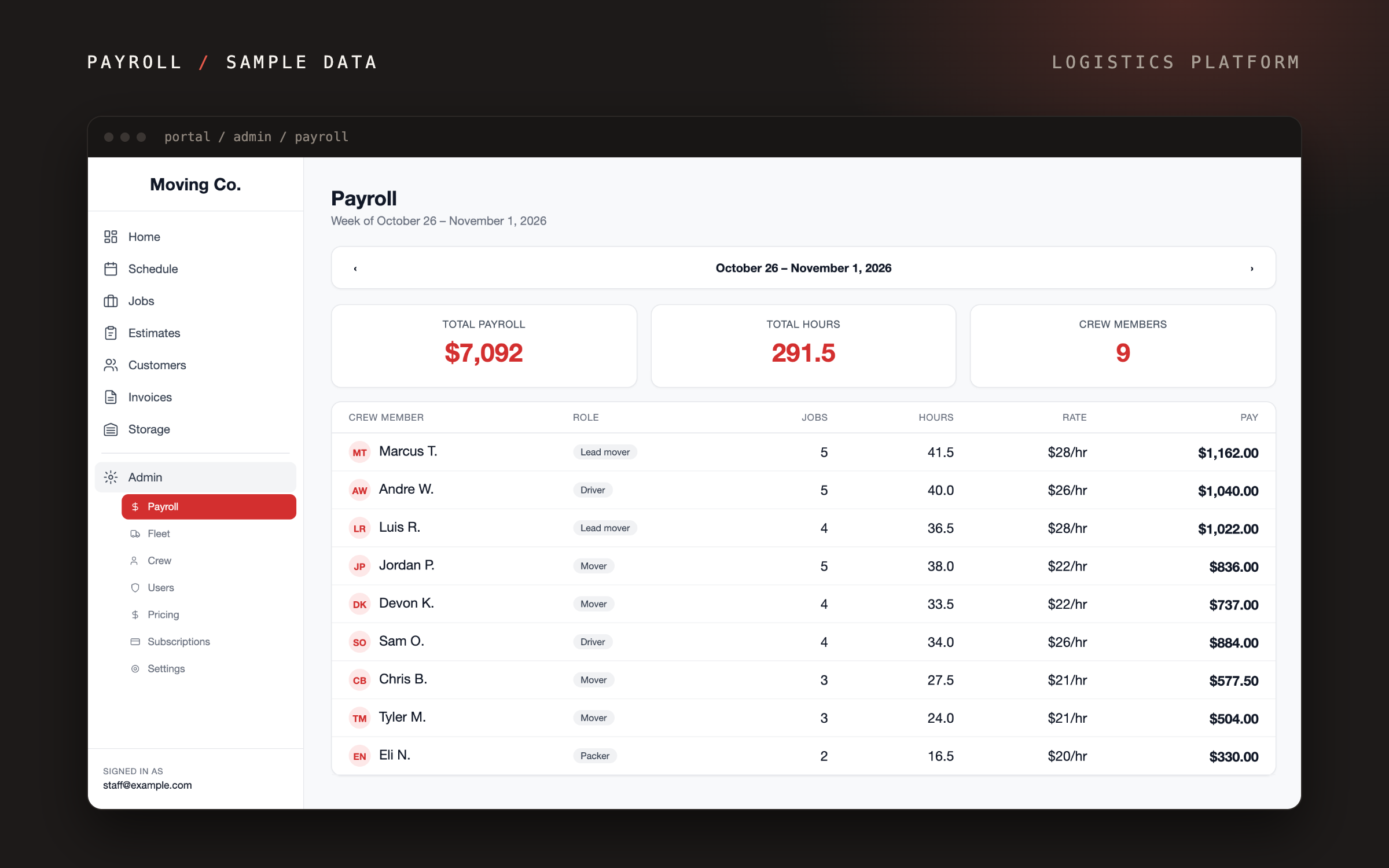
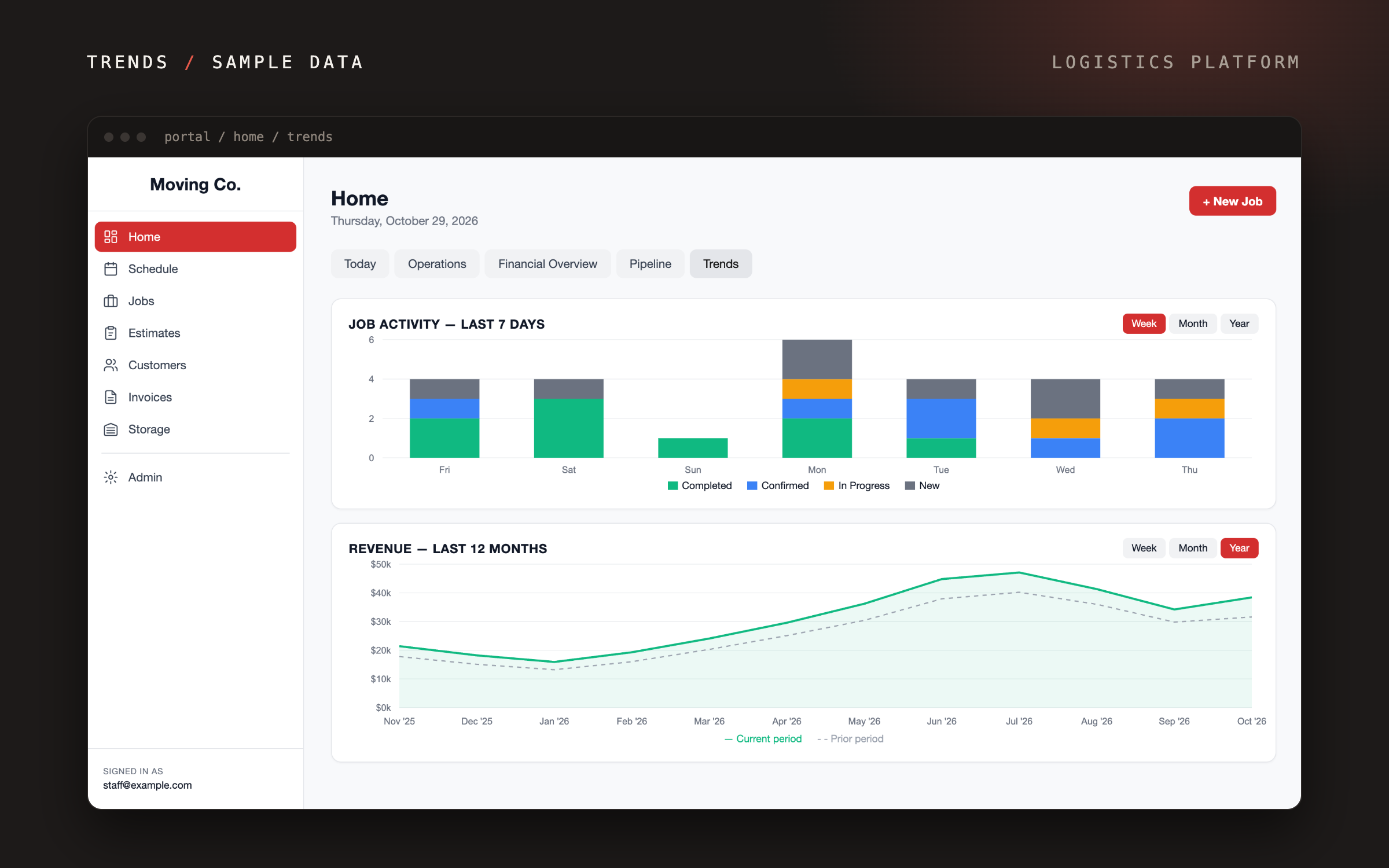
Owners see the business at a glance: income by payment method, card fees, average revenue per move, and revenue trends against last year. Payroll totals each crew member’s hours and pay for the week from the jobs they worked.
- Timeline
- Jul 2026 – ongoing
- Type
- Client Project
- Team
- Shel, Mars
- Contribution
- Design, Build, Handover
[ 02 ] Problem
A family moving company needed one system for the whole job, without paying every month for an off-the-shelf suite.
Quotes, schedules, crew sheets and invoices lived in different places, so the same move was entered more than once and the office and the truck could work from different plans.
- 01
A Monthly Bill
The off-the-shelf suite charged every month and still did not fit how the business works.
- 02
One Move, Many Copies
Each step kept its own copy of the job, so details were typed again and could drift apart.
- 03
Office and Truck Apart
Crews on moving day had no live view of the plan the office was working from.
[ 03 ] Approach
- 01
One Record per Move
The quote, the schedule, the crew sheet and the invoice are one record, so nothing is typed twice.
- 02
Quotes in Minutes, Not a Day
Customers get an estimate on the public site straight away, and staff refine it from the same record.
- 03
One Plan on Moving Day
Crews see the job, the route and the inventory in their own app, so the office and the truck work from the same plan.
[ 04 ] Key Screens
- 01
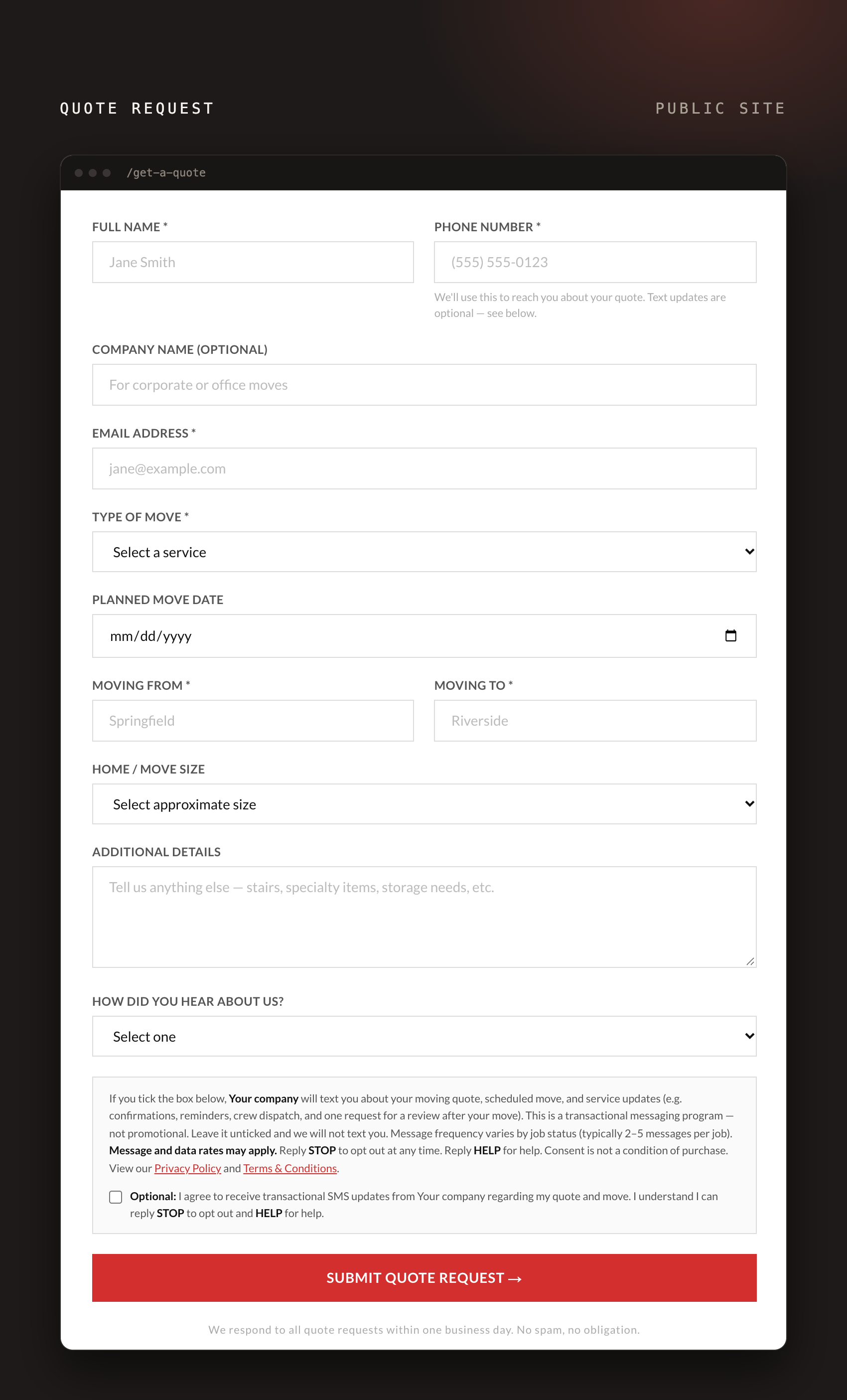
Quote request
Customers describe their move and send a quote request from the public site.
- 02
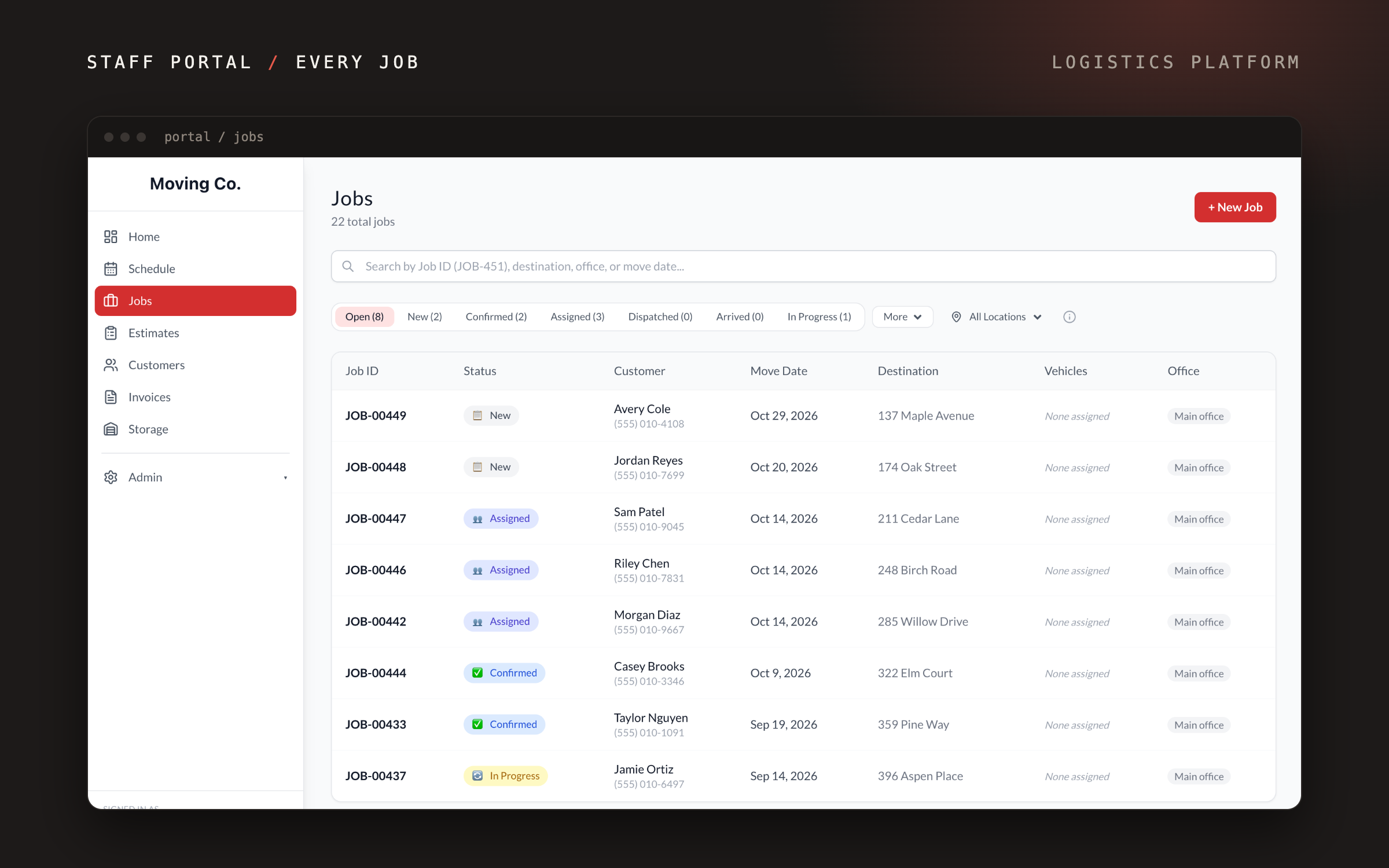
Every job in one list
Staff scan every job with its status, customer, move date and destination.
- 03
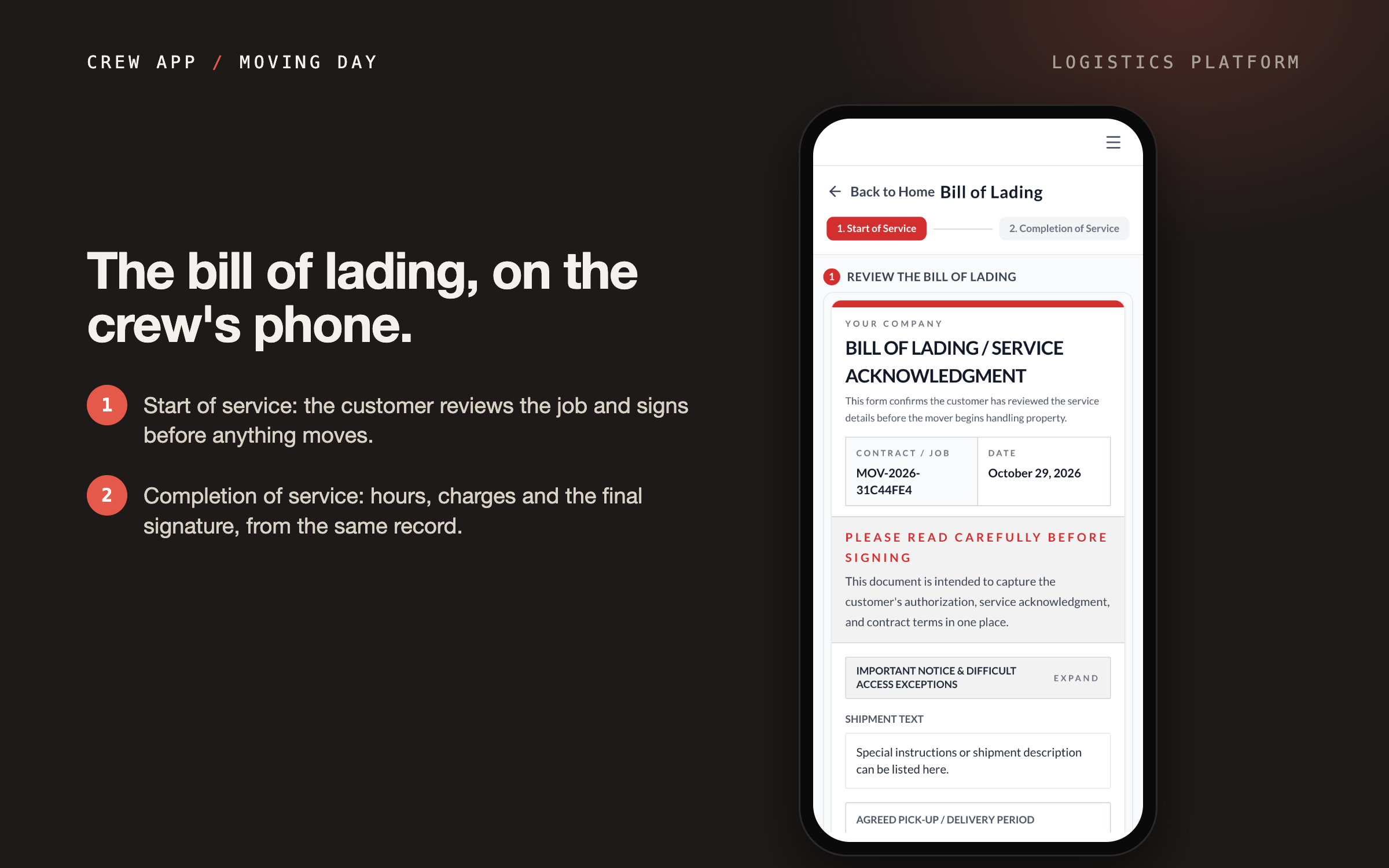
Crew app on moving day
The customer reviews and signs the bill of lading on the crew’s phone.
- 04
Weekly payroll
Staff see each crew member’s hours and pay for the week, totaled from the jobs worked.
- 05
Jobs and revenue trends
Owners compare recent job activity and monthly revenue with the year before.
- 06
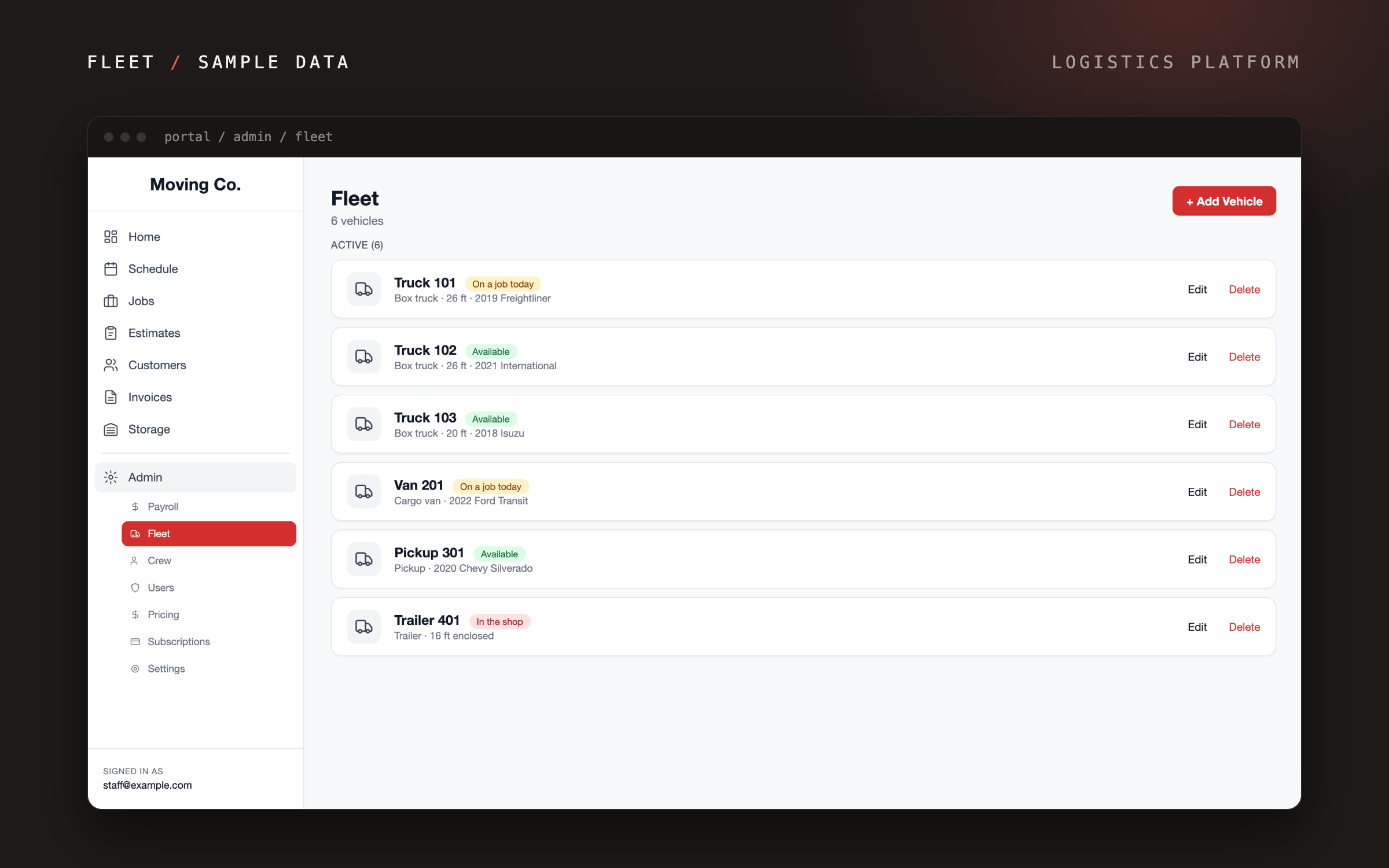
Fleet status
Staff check which vehicles are available and which are on a job.
[ 05 ] Outcome
The public site and the staff portal are live. Day to day, staff work mostly in the schedule, the estimates and the job records.
The platform is built to replace the monthly suite. We are refining it now and will publish results once they are measured.
[ 06 ] Next project
SITE.03